Using Dashboards
Walk through a real dashboard — Daily User Activity — that queries Postgres, calls the backend REST API, renders charts and tables, runs CRUD operations, and triggers daily with a chat assistant.
Open the dashboard workspace
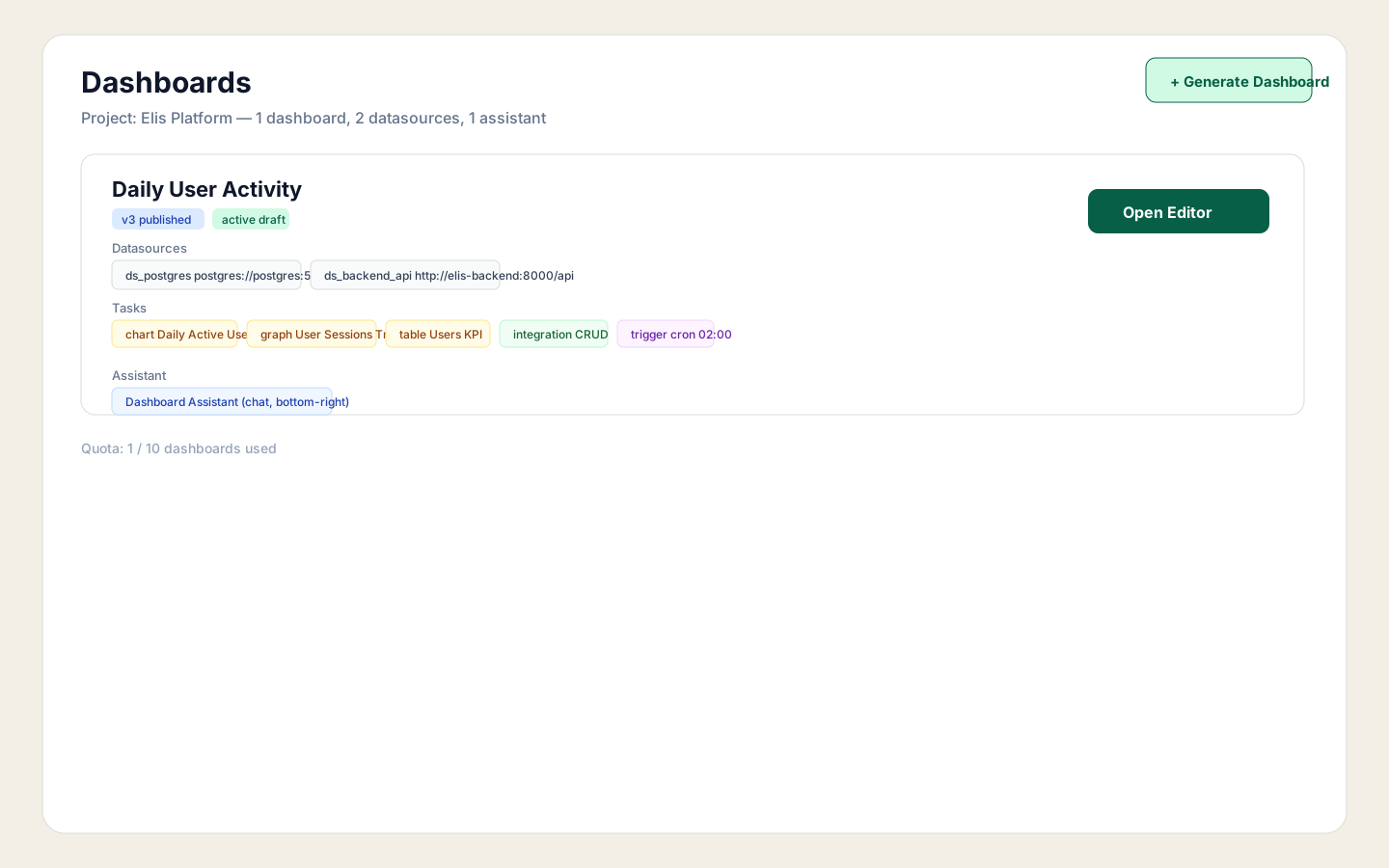
Navigate to Dashboards and select your project. Each workspace card shows the published version, its datasources, task types, and the assistant bound to it. The Daily User Activity card shows ds_postgres (Postgres) and ds_backend_api (REST API) along with badges for every task kind: chart, graph, table, integration, trigger.
Describe what you want in the prompt
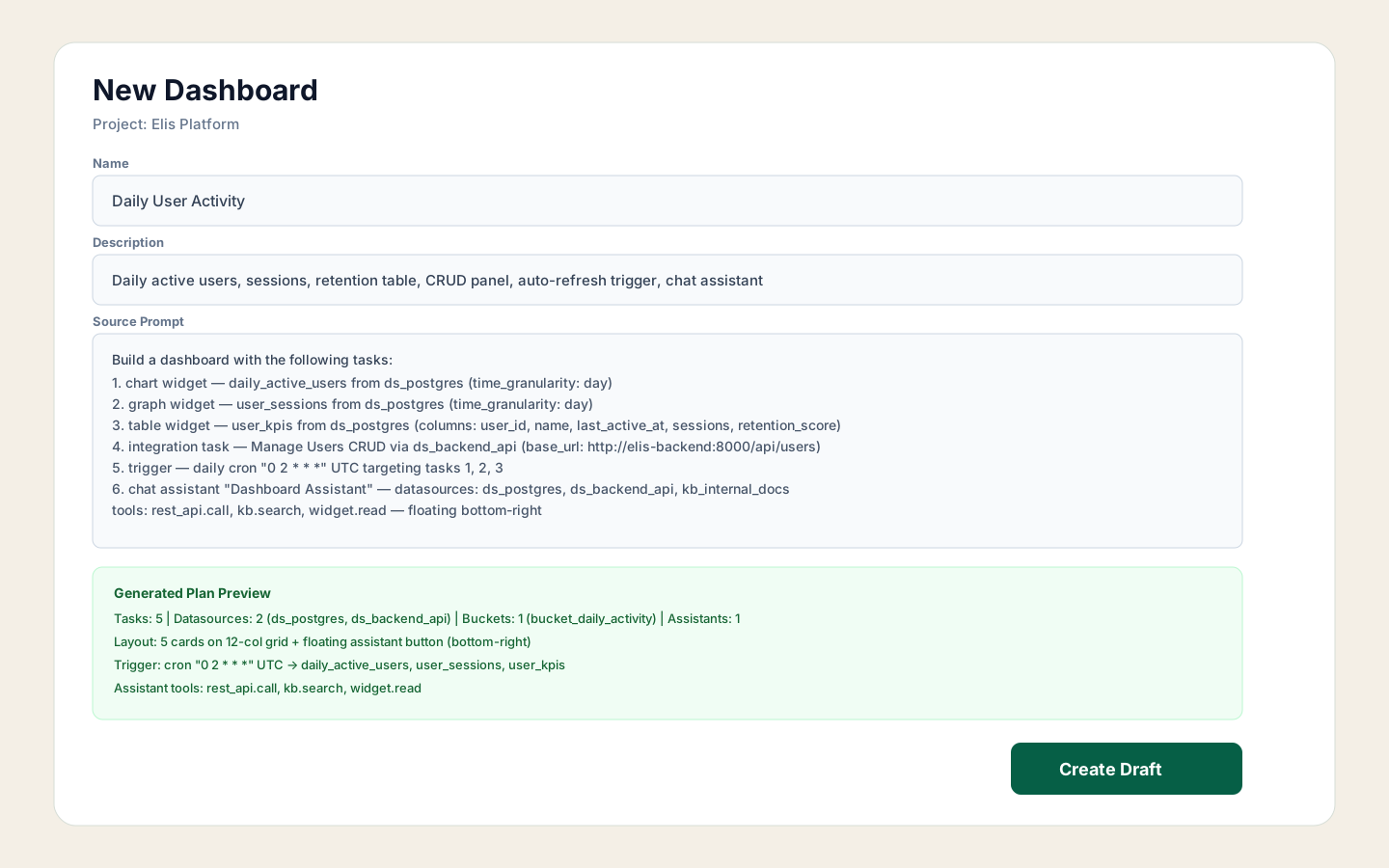
Click Generate Dashboard, name it, and write a precise prompt. For this dashboard the prompt requests a chart (daily active users), a graph (sessions trend), a table with columns user_id, name, last_active_at, sessions, retention_score, a CRUD integration over /api/users, a daily cron trigger at 02:00 UTC, and a chat assistant with access to Postgres, the backend API, and the internal KB.
Review and edit the spec in Plan view
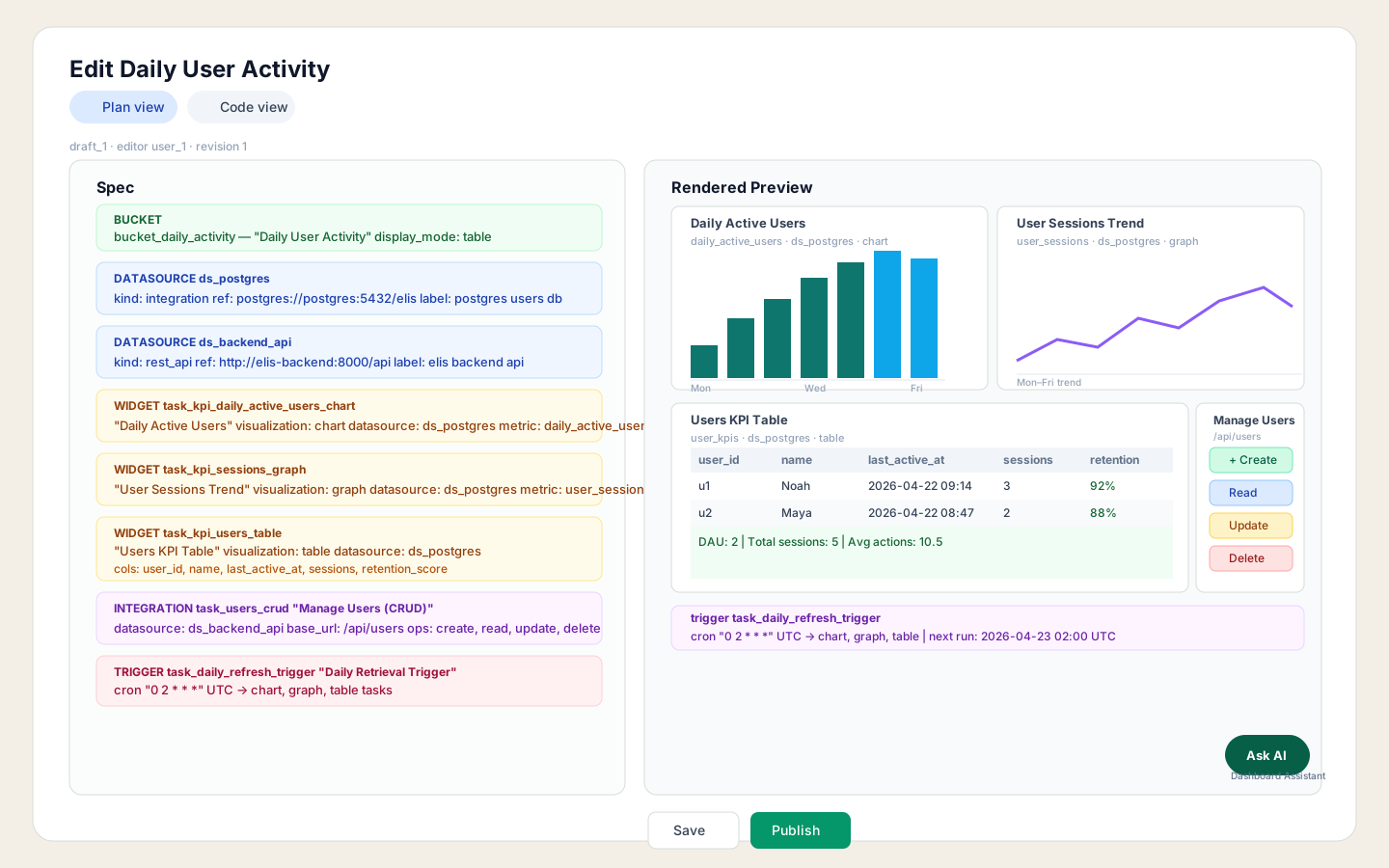
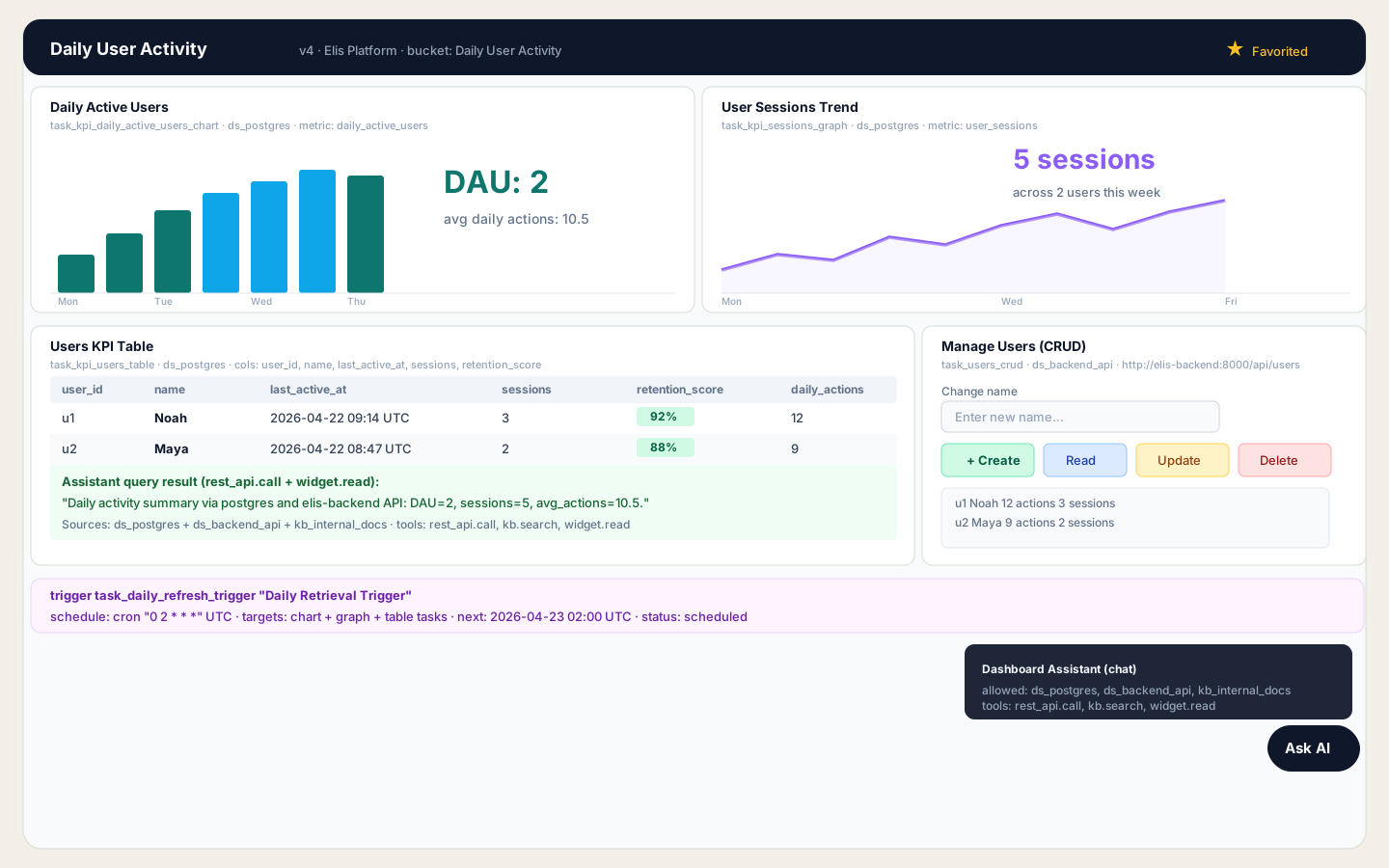
The editor shows the full spec on the left — every bucket, datasource, task, and trigger — with a live rendered preview on the right. You can see the real user data: Noah (12 actions, 3 sessions, retention 92%) and Maya (9 actions, 2 sessions, retention 88%). The DAU summary reads DAU=2, sessions=5, avg_actions=10.5. The CRUD panel on the right exposes Create / Read / Update / Delete actions against http://elis-backend:8000/api/users. The trigger strip shows the next scheduled run.
Confirm the diff before publishing
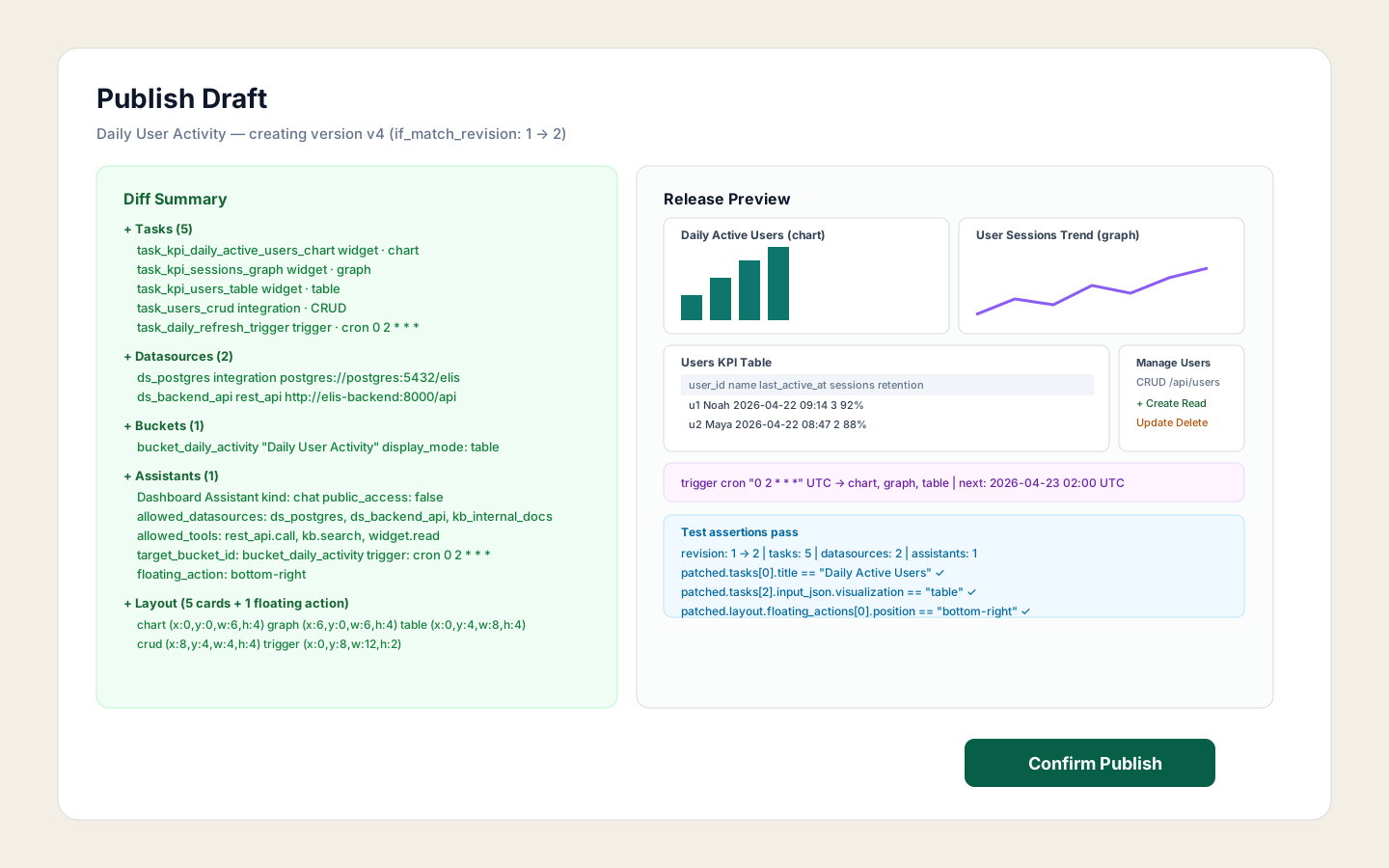
The publish review lists every change: 5 tasks (chart, graph, table, CRUD integration, trigger), 2 datasources (ds_postgres, ds_backend_api), 1 bucket (bucket_daily_activity), and 1 assistant (Dashboard Assistant with rest_api.call, kb.search, widget.read). The layout grid and floating action position are also shown. All test assertions listed here pass before the version is created.
The published dashboard — all widgets live
The published Daily User Activity v4 dashboard renders all components simultaneously: the DAU bar chart, the sessions trend line graph, the full users KPI table with Noah and Maya's rows, the Manage Users CRUD panel, the daily trigger status strip, and the floating Dashboard Assistant button. The assistant query in the summary row reads back: "DAU=2, sessions=5, avg_actions=10.5" sourced from Postgres, the backend API, and the internal knowledge base. Star the dashboard to keep it pinned in the Favorites sidebar.
ds_postgres and task IDs like task_kpi_users_table are stable references. The trigger, assistant allowed_datasources, and layout cards all reference them by ID — keep them consistent when you patch the spec or the assistant will lose its bindings.